Need a hitting partner across town? Visiting family and want to squeeze in a match? Champfy Find Players now lets you search from any city, neighborhood, or postal code, not just the location saved on your profile.
That means you can look for tennis, pickleball, or padel partners wherever you actually plan to play, then message and schedule inside the app.
The problem we kept hearing
A lot of players told us the same thing: they do not always play where they live.
You might train at a club twenty minutes away, try a new court on vacation, or move neighborhoods and want to see who is active nearby before committing to a membership. Until now, Find Players only searched from your profile location. Fine if home base never changes. Not so helpful when life does.
This update closes that gap.
What changed
Start from your profile location
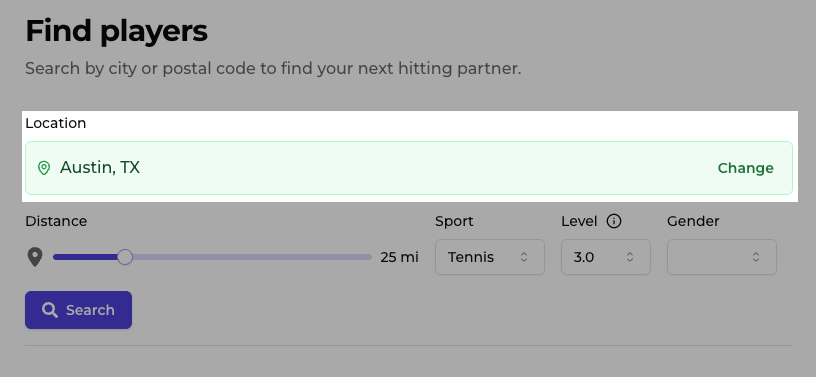
If you have a location on your profile, that is still the default when you open Find Players. Pick your sport, skill level, and distance, then search near home base without entering an address first.
Not sure about your level yet? Take the tennis skill quiz or browse our partner-finding tips before you search.
Search a city, neighborhood, or postal code
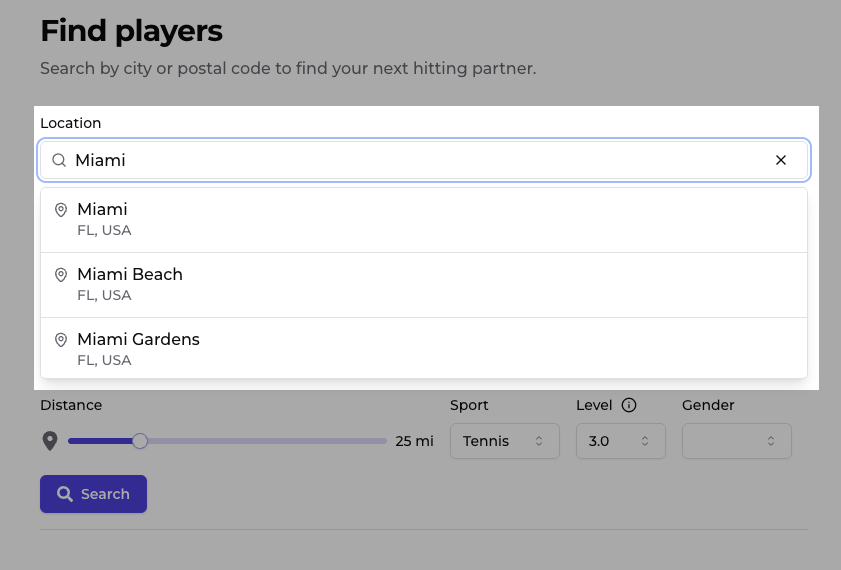
Need to look somewhere else? Tap Change, enter where you plan to play, and search from there. Think of the place you would text a friend: Miami, FL, 90210, or Williamsburg, not a specific street address.
Champfy returns players near that area using the same filters you already know.
Jump back to your profile location anytime
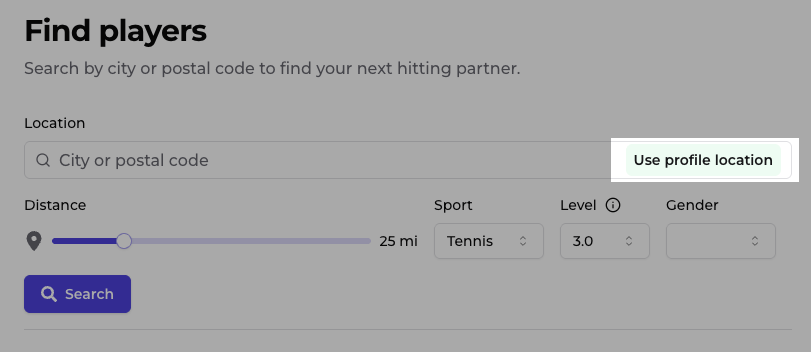
Searched somewhere else and want home base again? Tap Use profile location to return to your profile location in one click. A custom search never changes what is saved on your profile.
Better on mobile, clearer on desktop
We also cleaned up the search form:
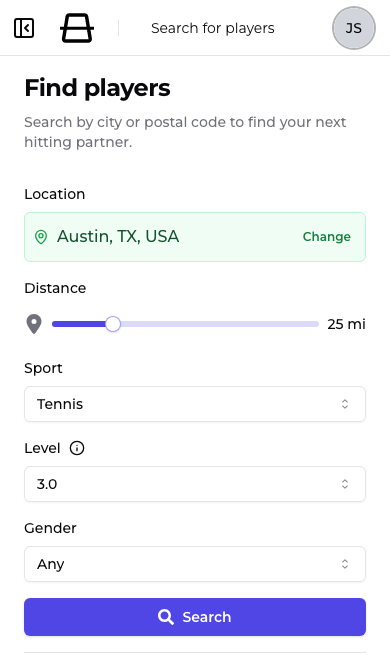
- Location and filters are easier to read and tap on a phone
- Results stay on screen while you tweak your next search, labeled with the last location you searched
- The Search button has a clear label on every screen size
Small changes, but they add up when you are standing at a court trying to line up a game.
Common questions
Can I find players in a different city than where I live?
Yes. Enter any supported city, neighborhood, or postal code as your search origin. This is especially useful when traveling, commuting to a club, or scouting a new area before you move.
Can I search by zip code or postal code?
Yes. Postal codes work as search locations alongside cities and neighborhoods.
Do I need a Champfy account to search?
Yes. Find Players is available once you are logged in. Create a free account to search by sport, level, and location, then message players and schedule games.
Does a custom search change my profile location?
No. Searching from a different area does not update your saved profile location. Use Use profile location anytime to search from home base again.
Which sports does Find Players support?
Find Players works across the sports Champfy supports, including tennis, pickleball, and padel. Filter by sport and skill level on the search page.
Try it this week
Head to Find Players and search somewhere you plan to play this week. New to Champfy? Sign up free, finish onboarding, and start connecting with players near you.
Ready to find your next partner?
Create a free Champfy profile and search players by sport, level, and location.