Champfy Assist is an AI-powered tool inside Champfy for finding partners and places to play. You ask in plain language. Assist understands the request, searches Champfy for you, and shows results you can act on in the conversation.
Assist searches the same player directory as Find Players. If you would rather use filters and a form, Find Players is still there.
It is separate from the Champfy in ChatGPT app, which runs inside ChatGPT.
What you can ask
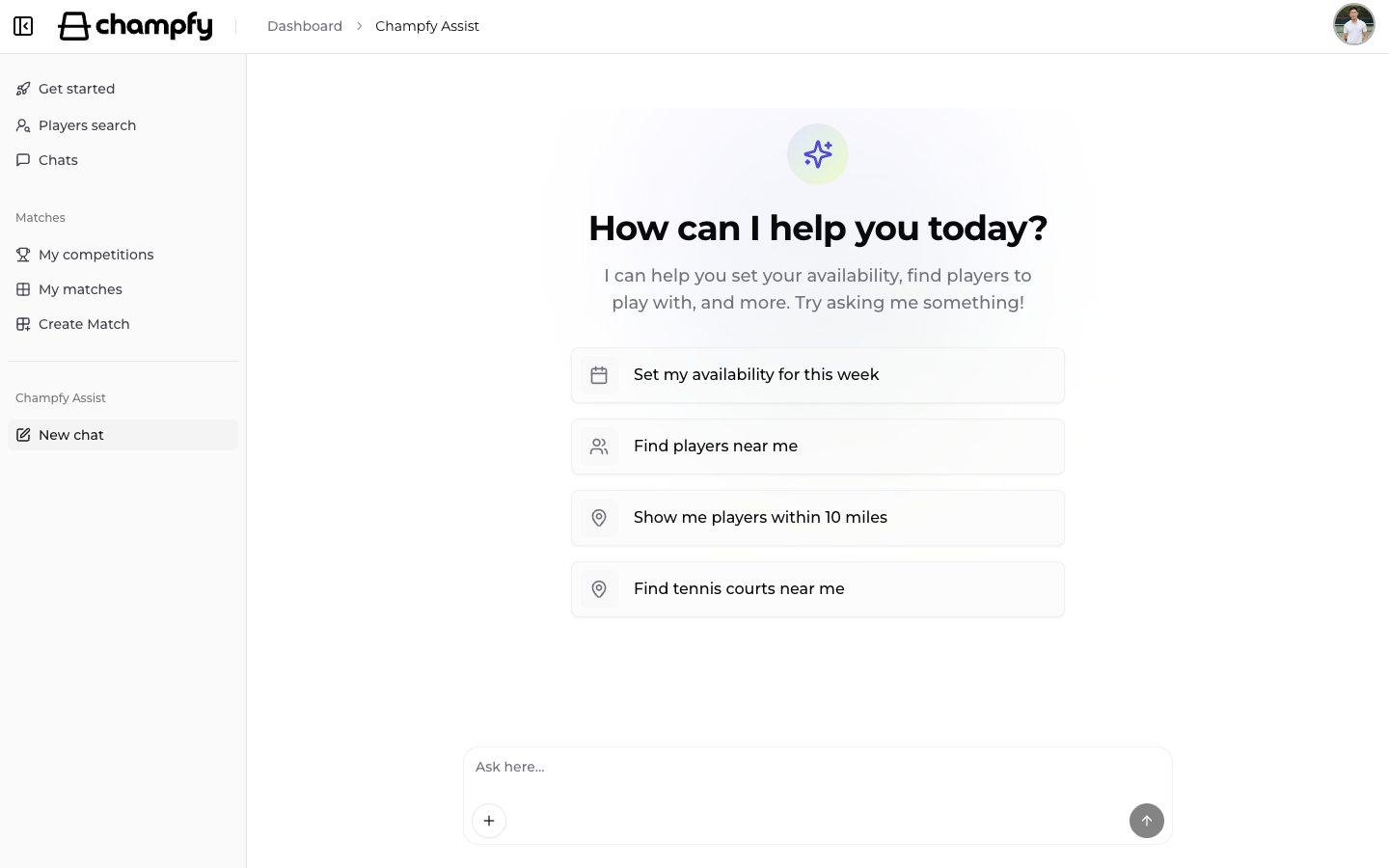
Open Champfy Assist and type what you need. Try a suggested ask, or write your own. A few common ones:
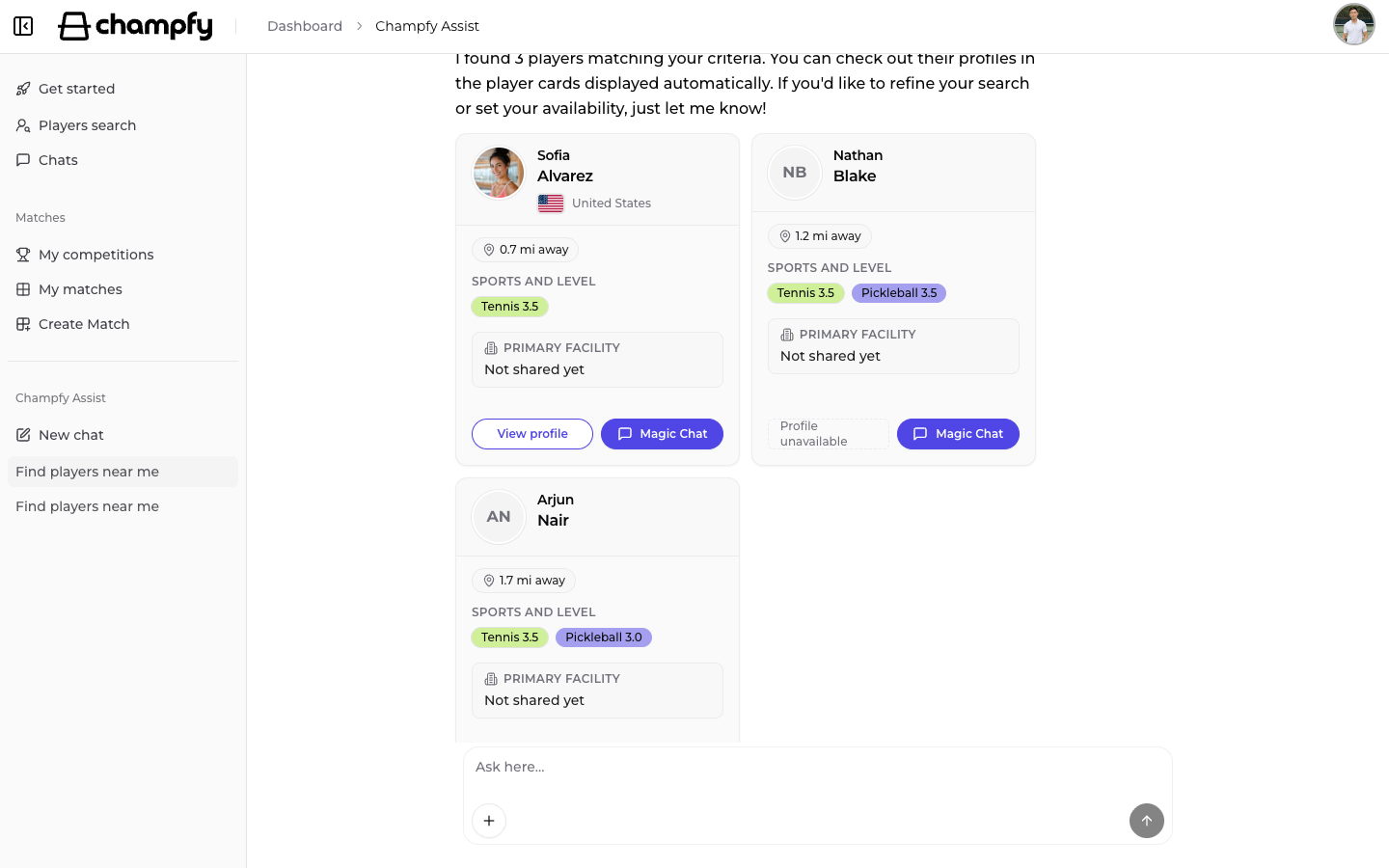
- "Find players near me"
- "Show me players within 10 miles"
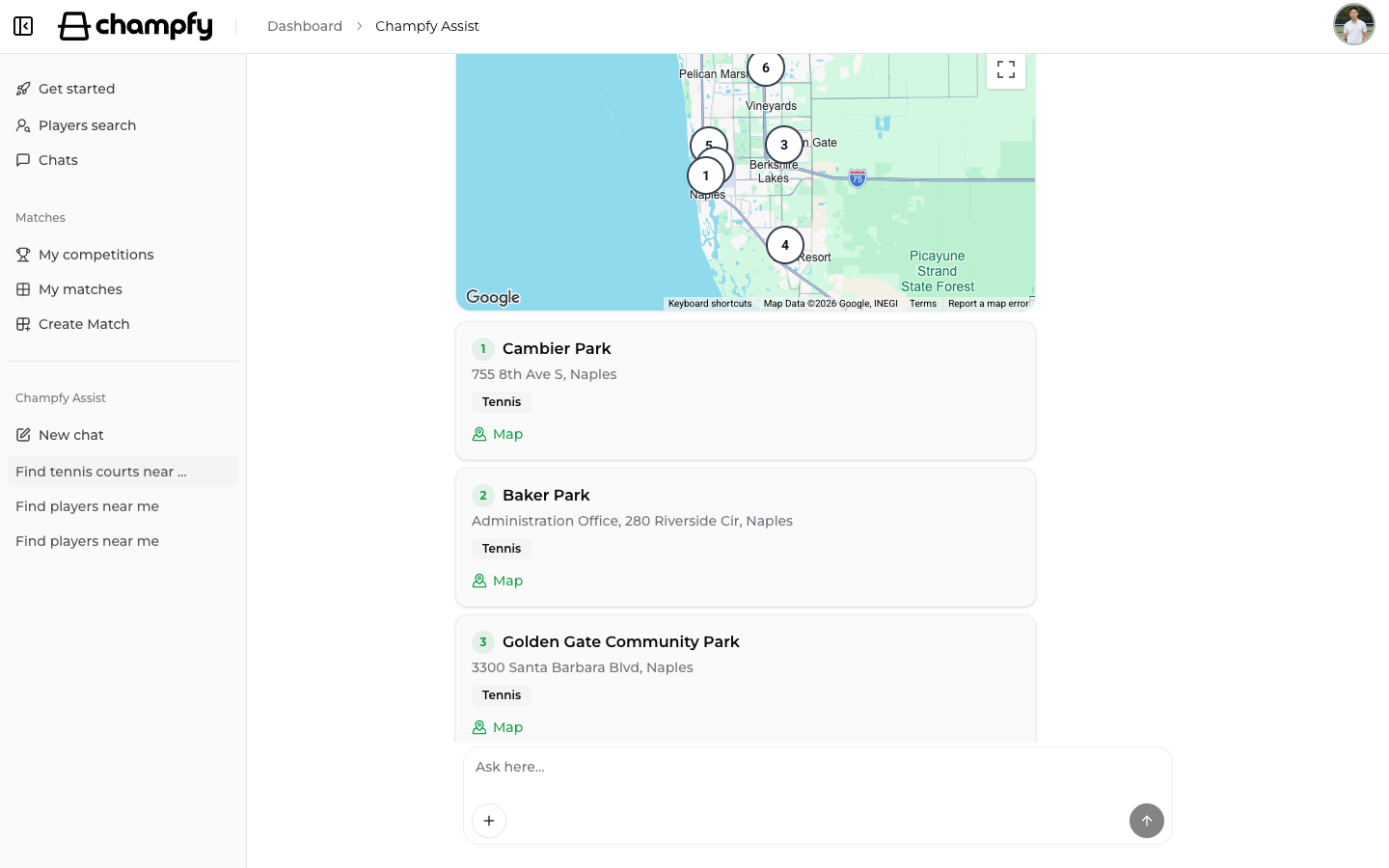
- "Find tennis courts near me"
- Ask what to do next when you are stuck finding a partner
You can get more specific too. Ask for a skill level or gender, for example "Find 3.5 tennis players near me" or "Find female pickleball players within 10 miles".
Find tennis and pickleball courts
Need a place to play, not just a partner? Ask something like "Find tennis courts near me", or name a city or zip code. You get a map plus place cards with addresses and links to open them in Maps.
Custom location
Need to search for players from somewhere other than your saved profile location? Tell Assist a city/state or postal code. That becomes a custom location for the current Assist chat.
It replaces your profile location for that chat only. It does not update your profile, and it does not carry into a new chat. Say you want to search "near me" again when you want your profile location back.
If you do not have a usable location yet, Assist points you to get started. You can also type a city/state or postal code in the chat and search right away.
A custom location does not change your profile. If you have not finished setting yours up yet, get started so your home area, sports, and level are saved. That helps Assist search near you later, and it helps other players find you too.
Preview players in Assist chat
When Assist shows discovery results, tap a player's photo or View profile to open a compact player profile preview. Check level and location, start a chat, or open the full profile, all in Assist chat.
Your Assist chats stay in one place
Champfy Assist has its own sidebar section for new chats and recent Assist chats. Start a fresh chat when you want a clean slate, or reopen an earlier one when you want to continue.
Try Champfy Assist
Open Champfy Assist, ask who is playing near you or where the nearest courts are, and message someone who looks like a fit. New to Champfy? Sign up free, finish onboarding, then try Assist the next time you need a partner or a court.
What you've seen here is the start of Champfy Assist, not the finish. We'll keep adding to it. If something would make partner-finding easier, tell us on the Feedback page.
Ready to find your next partner?
Open Champfy Assist, ask for nearby players or courts in plain language, and start a chat when someone looks like a match.