A useful Player search is not about producing the longest list. It is about finding someone close enough, near enough in level, and available for the kind of session you want.
Champfy's Player search brings location, distance, sport, and level into one place. You can begin with a broad nearby search, compare Player cards, and then narrow the results when you know which detail matters most.
If you are still choosing between apps, clubs, local groups, and recurring play, read five practical ways to find a nearby sports partner. This guide focuses on the current Champfy workflow.
After reading this, you'll
- Open the authenticated Players search
- Search from your saved location or another city
- Filter by distance, sport, level, and gender
- Read a Player card before starting a conversation
- Recover from missing-location and empty-result states
Preview nearby Player discovery
Choose a location on Champfy's public Find Players page, then sign in to continue with the full search.
Before you search
You need a signed-in Champfy account. Complete the required Onboarding details first: personal information, a supported location, and at least one sport level.
If Champfy still shows Finish setting up your profile, follow how to set your sport level and become discoverable before continuing.
It also helps to decide what you want from the session:
- Tennis, Pickleball, or another listed sport
- A close level match or any level
- A practical travel radius
- A rally, drills, singles, doubles, or a scored match
- One or two real time windows you can offer
The search finds possible Players. Your first message still needs to confirm the session details.
Open Players search
After signing in:
- Select Players search in the dashboard navigation.
- Confirm the location shown above the filters.
- Leave the filters broad for your first search.
- Select Search.
Champfy defaults to your saved profile location when one is available. Select Change beside the location if you want to search another city or area. This is useful when you plan to play near work, while traveling, or at a facility away from home.
If you are logged out, Champfy asks you to sign in before showing full results.
Use the filters in a sensible order
The filter row includes Distance, Sport and level, and Gender.
1. Start with distance
The default radius is 15 miles. If the list is too short, widen the radius gradually. A 100-mile result may be technically nearby but impractical for a weekly game, so use a distance you would actually travel.
2. Choose a sport
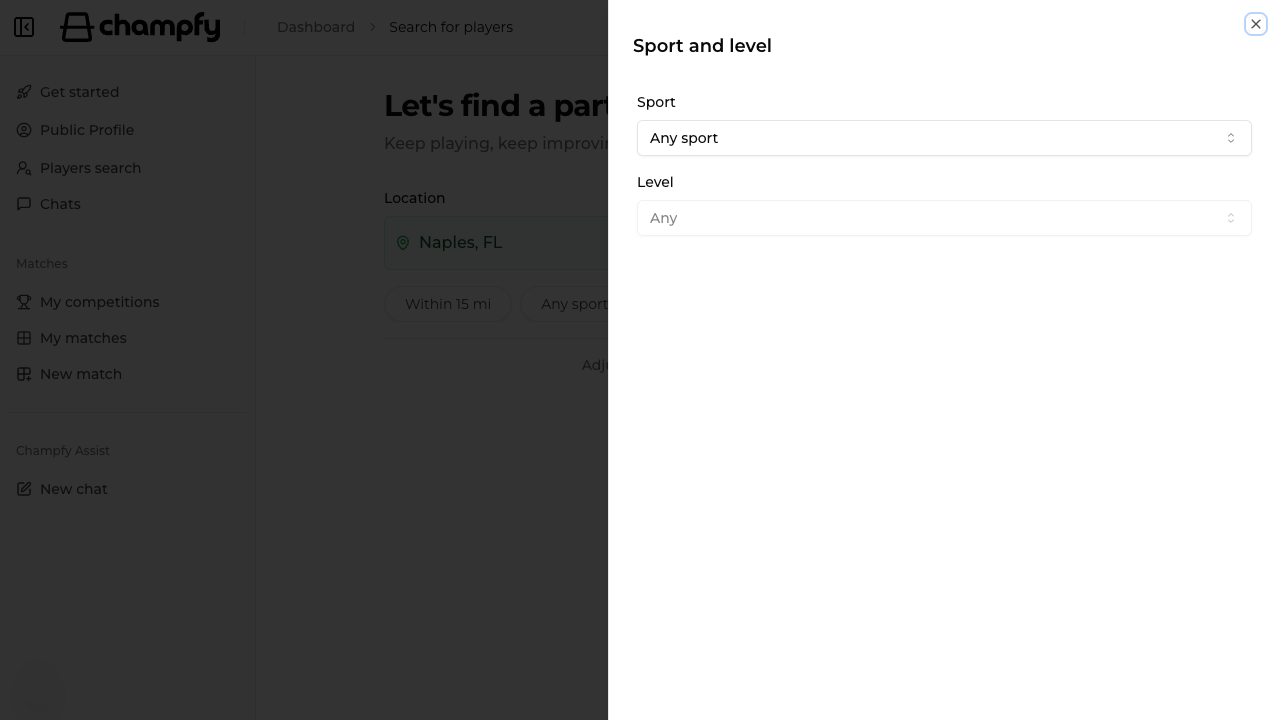
Open Sport and level, then select the sport. The level control becomes available after you choose a sport.
Search Any level first if your area has few Players. A one-step level difference can still work well for rallying or drills when both people agree on the session.
Choose an exact level when you want a more even scored match. If you are unsure which tennis number fits, see the tennis level guide. Champfy normalizes equivalent numeric labels such as 3 and 3.0.
3. Use gender only when it matters
The default includes any gender. Narrowing this filter reduces the available list, so use it when it is genuinely relevant to your comfort or match format.
4. Select Search after changes
Changing a chip does not itself fetch a new list. Close the filter panel, then select Search. The URL updates with your choices, which makes the current search state easier to revisit.
Read the Player cards
A result card may show:
- Approximate distance from the active search location
- Sports and level, such as Tennis 3.5
- Availability match when Champfy has overlapping schedule information
- Primary facility when the Player has shared one
- View profile when the Player has claimed a Public profile
- Chat or Magic Chat, depending on the current experience
Do not decide from level alone. A compatible Player is someone whose location, intended session, schedule, and communication style also fit.
Use View profile when available to learn more before contacting the Player. A result can still appear without a Public profile; in that case, the card may say that the profile is unavailable while still offering Chat.
Narrow an unhelpful list
If you receive many results:
- Choose the sport.
- Add your preferred level.
- Reduce the distance to a radius you can sustain weekly.
- Compare facilities and availability details.
If you receive very few results, reverse that order:
- Reset the exact level.
- Widen the distance.
- Search any gender.
- Try a nearby city with Change.
Use Reset filters to return distance, sport, level, and gender to their defaults.
Common blockers
“You didn't finish setting up your profile”
Champfy cannot run the saved-location search without usable location data. Select Set up your profile, complete the required details and sport levels, save, then return to Players search.
No Players found
This does not necessarily mean your account is broken. Try a wider radius, remove the exact level, or search from a nearby population center. Champfy may also show options to share your Player card or invite friends while the local community grows.
The level control is disabled
Select a sport first. A numeric level without a sport would be ambiguous because rating ranges differ.
Results did not change
After editing a filter, close its panel and select Search. If your selected values are identical to the last submitted search, Champfy does not repeat the same request.
A Player has no profile
A Public profile is optional and separate from Player discovery. You can still use Chat when the card offers it. Do not rely on information the Player has not shared; ask concise questions in the conversation.
Pick one Player and move forward
Choose a Player whose card gives you a plausible match, not a perfect guarantee. Your next step is a short message with the sport, purpose, place, and concrete times.
Continue with how to message a Player and arrange your first match on Champfy.
Find someone to play
Set your location and filters, compare Player cards, and start one clear conversation.